Reports
The Reports section allows you to generate a report using standard and custom templates.
You can also create a scheduled report that will generate and send a report to recipients based on the set schedule.
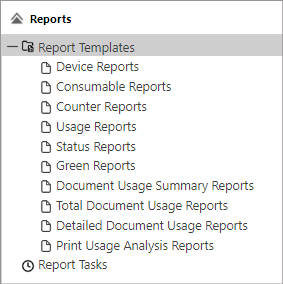
Reports Templates - Displays the list of report templates. Standard templates are displayed by default. You can create a customized template from a standard template.
Report Tasks - Displays all scheduled reports in a list. Scheduled reports are tasks that will send the generated report to the recipient based on the set interval. For example, a weekly device error report is generated and sent to the operations personnel email.
Here is a list of report types.
You can accomplish the following tasks in the Report section.
| Create Custom Report Template. Creates customized report template based on a standard template. |
| Run a Report Immediately. By clicking the run button, you can generate a report immediately. You can also download the generated report. |
| Run a Report on Schedule. A report is generated and sent to recipients based on the set schedule. |
| Manage Report Tasks. Manage all scheduled reports from this screen. |
