Device Reports
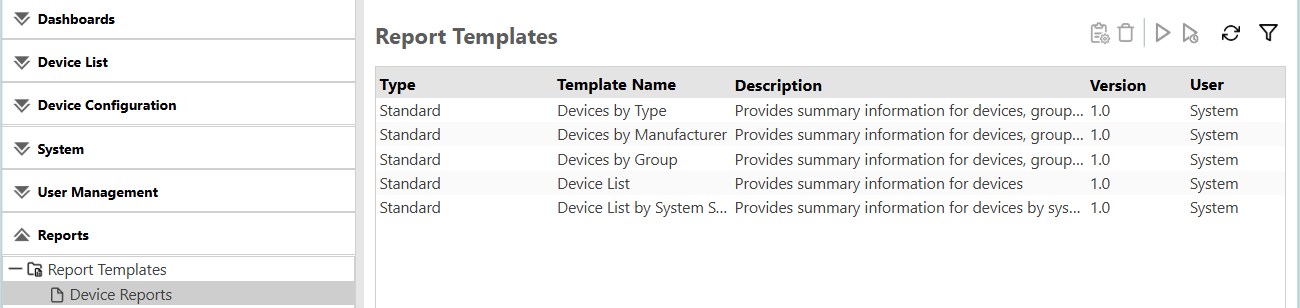
Use a report template in the Device Reports category to create a report of the device information for each category.
| Device Report Templates | Description |
|---|---|
| Devices by Type | Use this report to view information such as device name and serial number by device type for devices being monitored. Devices are divided into groups:
The ratio of device types is indicated in a graph, and the device types, number of devices, and ratio (%) are indicated in a table. |
| Devices by Manufacturer | Use this report to view summary information of devices being monitored that are totaled for each device manufacturer. This report indicates the ratio of manufacturers in a graph, and it indicates the manufacturers and number and ratio (%) of devices by manufacturer in a table. |
| Devices by Group | Use this report to view the summary information of devices being monitored that are totaled for each device group in the selected categories. The ratio of the number of used devices in a group is indicated in a graph, and the group names, number of devices, and ratio (%) are indicated in a table. |
| Device List | Use this report to view basic information of devices being monitored. |
|
Device List by System Status * |
Use this report to view information for devices based on system status. This report can include a Print Status Detail column that is used by Brother manufactured devices. |
Device Reports are displayed like the image below:
* The Device List by System Status report will be supported in a future release.
