Run a Report on Schedule
A report task is a Run On schedule report where a report is generated either once, or on a daily, weekly, or monthly basis, and then sends the report to the specified recipients.
 When a scheduled task is run, the log is created in the Report Log. Refer to
System Logs for details.
When a scheduled task is run, the log is created in the Report Log. Refer to
System Logs for details.
You can create a report task (or Run on Schedule) task from the following screens:
-
Via Report Templates
-
Login as an admin with reports privileges.
-
Go to the Reports section.
-
Expand Report Templates.
-
Select a Report Category. Report templates are categorized based on their purpose.
-
From the list of report templates, select the report template you want to create a report task with.
-
Click
 [Run On Schedule].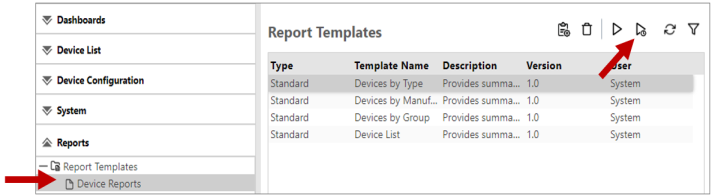
-
-
Via Report Tasks
-
Login as an admin with reports privilege.
-
Go to the Reports section.
-
Click Report Tasks.
-
Click
 to add a report task.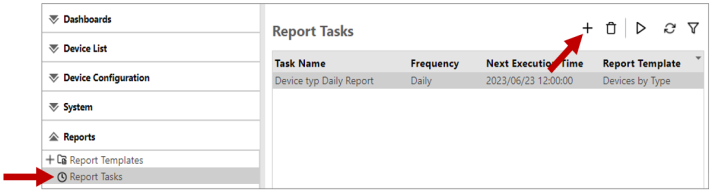
-
