Status Details
The following status information is supplied in this screen:
| System Status. Displays the availability of the device on the network. |
| Printer Status. Displays the status of the printer function. When more than one status has occurred at the same time, the status with higher priority is displayed. |
| Toner / Ink Status. Displays the colors of the toner/inks and the remaining amount of each toner/ink. |
| Paper Tray Status. Displays the paper tray types and the paper orientation, size, type, and amount of remaining paper for each tray. |
| Output Tray Status. Displays the types of output trays and the status of each tray. |
| Supply Replace Count. Displays the replace counts if available for the selected device. If no replace counts are available, this status does not appear. |
System Status
Displays the connectivity status of the device on the network. If the Status: System reports as "Ready", the device is connected and reachable by CloudStream. However, if the Status: System reports as "No Reply", the device is not reachable, and therefore polling information for printer, toner/ink, paper try, output try and supply replace counts will also report as "No Reply".
Printer Status
There are five printer statuses, and an example of Printer Status is displayed below.
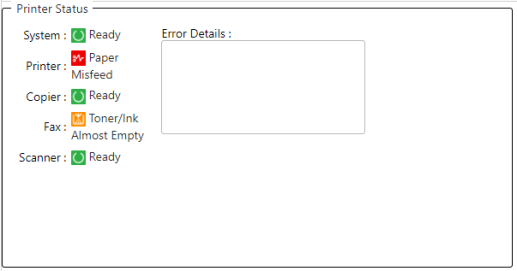
 If you want to see all device status history, go to History.
Details of each status are described in the tables below.
|
System Status
|
Printer Status
|
||||||||||||||||||||||||||||||||||||||||||||||||||||||||||||||||
|
Fax Status
|
Copier Status
|
||||||||||||||||||||||||||||||||||||||||||||||||||||||||||||||||
|
Scanner Status
|


