Paper Tray Status
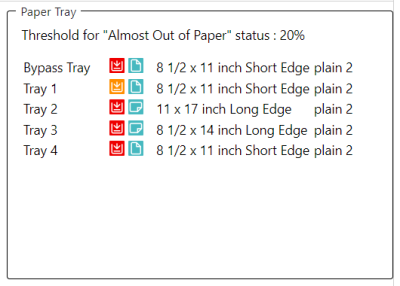
This displays the paper tray types and the paper orientation, size, type, and amount of paper remaining for each tray.
Each tray displays icons that indicate its current status. You can find the description of each icon in the tables below.
|
Paper Orientation
|
Tray Status
|
||||||||||||||||||||||||||||
|
Paper Tray Status
|
Rolled Paper Tray Status
|


(*) The default value is 20%. Some devices allow the threshold to be changed. (0% < Paper amount <= Threshold)
 Information about the low-paper threshold value is displayed on top of the paper tray information. If the paper in the tray reaches the threshold value, the Paper Low icon is displayed.