Set Device View

You can select the view in the top right corner. You can select either Basic , Counters , or Status .
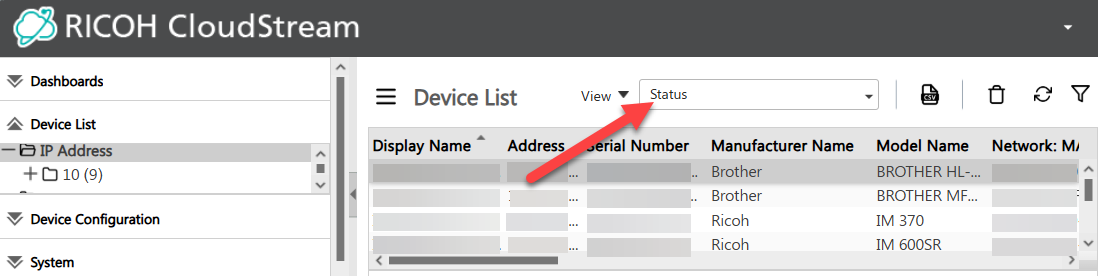
To customize a view, follow the steps below:

  1. Click the view dropdown and select the type of view you want to copy.

  2. Click the View button.

  3. Click Save As.

  4. Enter the name of the view in the pop-up dialog.
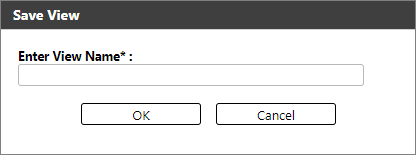
  5. Click [OK].

  6. Click the view dropdown and select the custom view you created in the previous step.

  7. (Optional) Right-click on the column header and click Columns, then select the desired columns.

  8. (Optional) Create filters. Follow the steps in Filter Device List.

Below is the list of columns displayed based on the selected View.

To understand the status icons, please go to Status Details.

Types of Views Columns
Basic
  • Display Name

  • Address

  • Serial Number

  • Manufacturer Name

  • Model Name

  • Network: MAC Address

  • Network: IP Address

  • Network: Host Name

  • Status: System

  • Status: Printer

  • Device WIM location

  • Device: WIM Comment

  • Other Poll Time

  • Group

  • Configuration Policy

  • Application Policy

  • Firmware Policy

  • Licenses

Counters
  • Display Name

  • Address

  • Serial Number

  • Model Name

  • Network: MAC Address

  • Configuration Policy

  • Application Policy

  • Firmware Policy

  • Licenses

  • Date/Time: Last Counter Poll

  • Counters: Device Total

  • Counters: B&W Copies

  • Counters: Full Color Copies

  • Counters: Single-color Copies

  • Counters: Two-color Copies

  • Counters: B&W Prints

  • Counters: Full Color Prints

  • Counters: Single-color Prints

  • Counters: Two-colors Prints

  • Counters: B&W Received Fax Prints

  • Counters: Single-color Received Fax Prints

  • Counters: Duplex Prints

Status

  • Display Name

  • Address

  • Serial Number

  • Manufacturer Name

  • Model Name

  • Network: MAC Address

  • Status: System

  • Status: Printer

  • Configuration Policy

  • Application Policy

  • Firmware Policy

  • Licenses

  • Status: Copier

  • Status: Scanner

  • Status: Fax

  • Date/Time: Last Counter Poll