Examples of Reports Date Range
For details about the combinations of the report generation date, closing day, start date, and end date, see the following examples. The calendar under each example shows the date range to be included in the report.
Here is the list of examples:
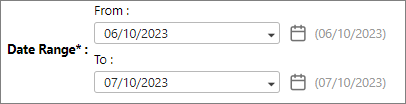
Generate a report that starts from June 10 to July 10.
-
In From, click the calendar
 icon.
icon. -
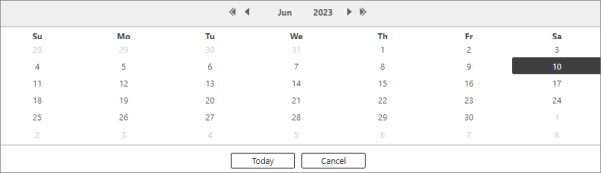
Select June 10 from the calendar.
-
In To, click the calendar
icon and select July 10 from the calendar.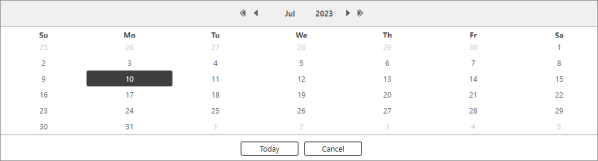
The resulting Date Range will be:
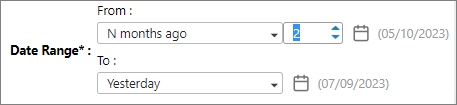
Generate a report that started 2 months ago until yesterday.
-
In From, click the dropdown menu and select N months ago.
-
A box is displayed beside From, then enter number 2. This means the report will be generated using the data gathered two months ago. If the current date is July 10, two months ago will be May 10.
-
In To, click the dropdown menu and select Yesterday.
The resulting Date Range will be:
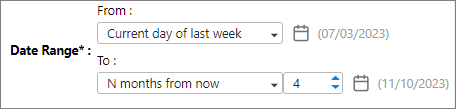
Generate a report that starts last week until the next four months.
-
In From, click the dropdown menu and select Current day of last week. For example, the current day is July 10, and if this option is selected, the From date will be July 3.
-
In To, click the dropdown menu and select N months from now.
-
A box is displayed beside To, then enter the number 4. This means that the report will be generated using the data gathered last week (July 3) until the next four months (November 10).
 The "N months from now" refers to the future months.
-
If you set a scheduled monthly report for the next five months, every report generated will cover the last week until the current month. For example, today is September 11, and the data retrieved is from July 3 until September 10.
-
In the fifth scheduled month (December), the report will be the same as the report generated in the fourth month (November) because the To field only specifies 4 months from now covering from July 3 until November 10.
-
The same mechanism applies to N days from now and N weeks from now.
The resulting Date Range will be:
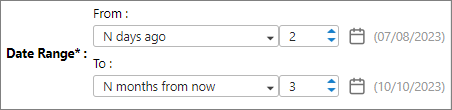
Generate a report that starts two days ago until the next three months.
-
In From, click the dropdown menu and select N days ago.
-
A box is displayed beside From, then enter number 2. This means the report will be generated using the data gathered in the last two days.
-
In To, click the dropdown menu and select N months from now.
-
A box is displayed beside To, then enter the number 3. This means the report will be generated using the data gathered from two days ago (July 8) until the next three months (October 10).
The "N months from now" refers to the future months.
-
If you set a scheduled weekly report, every report generated will cover the last two days until the current month. For example, today is September 11, and the data retrieved is from July 8 until September 10.
-
In the third week of October (October 17), the scheduled report will be the same as the report generated in the second week of October because the To field only specifies 3 months from now covering from July 8 until October 10.
The resulting Date Range will be: